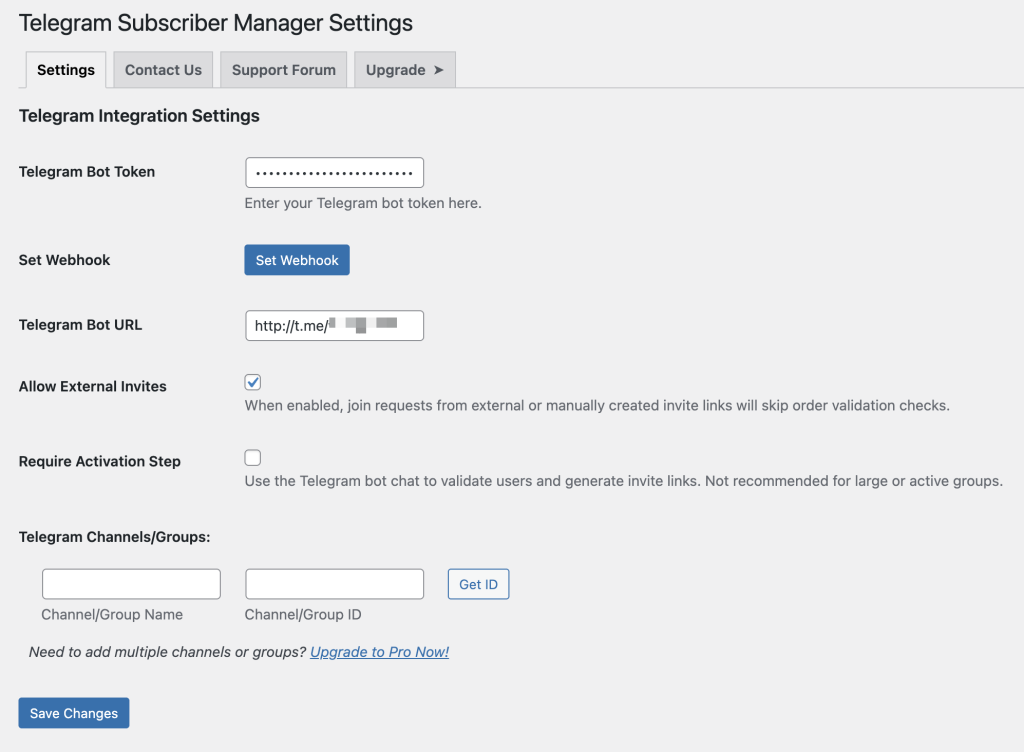
In the Telegram Subscriber Manager settings page under the Settings tab, enter your bot’s token into the Telegram Bot Token field, and enter the bot’s url into the Telegram Bot URL field, then click on Save Changes.
Now click on the Set Webhook button to setup the bot to work with the plugin.
IMPORTANT NOTE: With respect to the above instructions, ensure you Save your changes first, then click on the Set Webhook button.
Trouble later on? If the bot is connected but customer join requests are never approved automatically, your host may be blocking Telegram from reaching your site. See Join Requests Not Approved: Fixing a Webhook 403 Error.


